Module Queue
The Module Queue list displays your WHMCS installation’s failed automated actions. This includes any action that WHMCS performs using a module, either as part of the system cron tasks or in direct response to a user or admin action. You can use this list to retry or dismiss individual errors or retry all of the listed actions.
You can access this feature at Utilities > Module Queue.
Module Queue
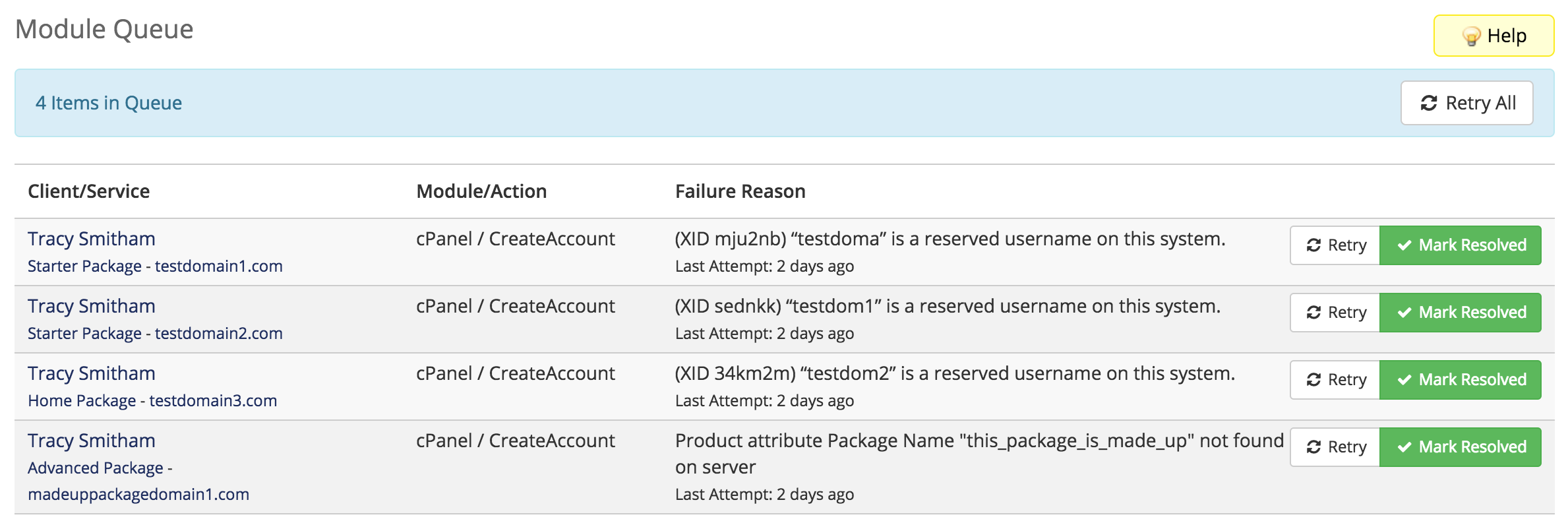
The Module Queue list includes the client name and associated service or domain, the action, error details, and the time of the attempt:
Resolving Issues
For most errors:
- Clicking the client name will direct you to that client’s profile.
- Clicking the service name or domain name will direct you to the Products/Services or Domains tabs.
This will allow you to further investigate and resolve the issue.
For troubleshooting and resolution steps for many common module-related issues, see:
Retry
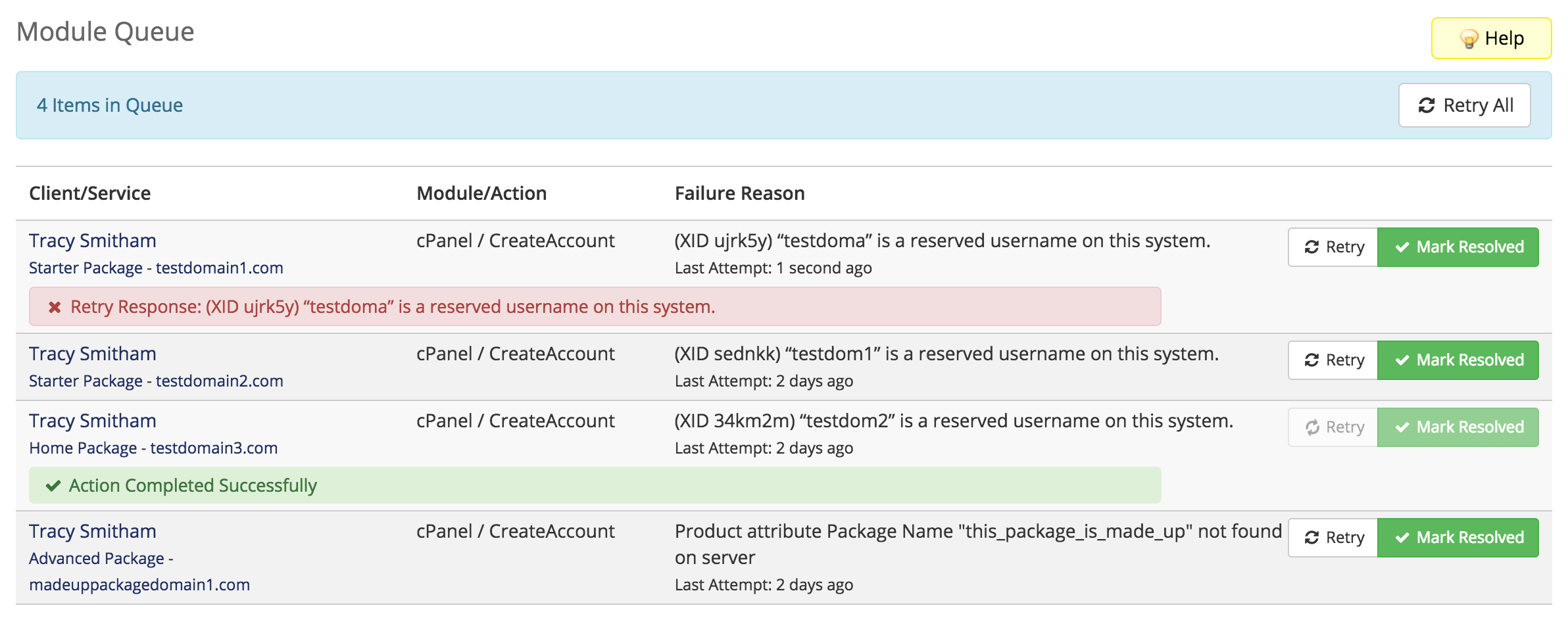
Click Retry for an action to attempt the failed action again. The page will display the results of the new attempt immediately as a success or error message:
- If you retry the action directly from another page (for example, by clicking the appropriate Module Command item in the client profile), the system will automatically resolve the item in this list.
- WHMCS will not automatically retry a failed action. You must click Retry to attempt the failed action again.
Mark Resolved
Click Mark Resolved to mark the item as done in the list. If you resolve an action, clicking Retry All will not reattempt that item.
Last modified: 2026 March 20