Set the Default Locale
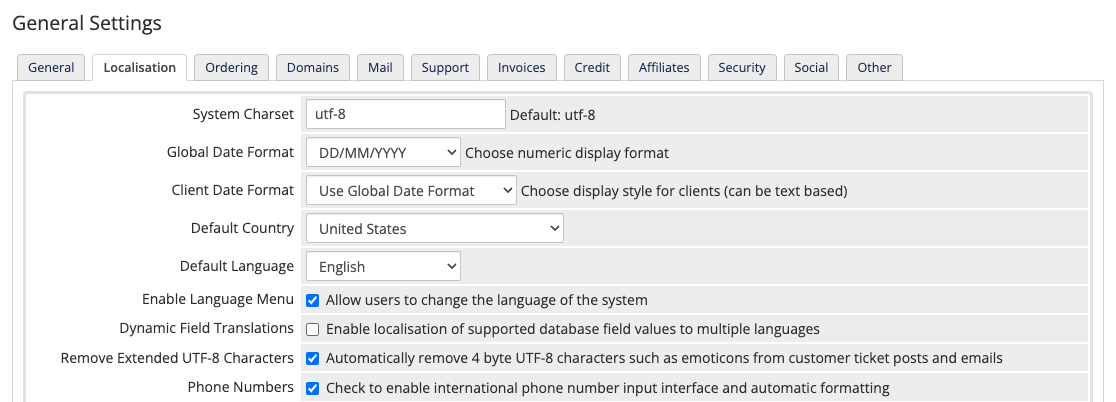
You can configure a default country and language for your WHMCS installation.
You can also configure the default language during initial setup at Configuration () > Getting Started Wizard.
Set the Default Country and Language
To configure a default country and language:
1. Go to the Localisation tab.
Go to Configuration () > System Settings > General Settings and select the Localisation tab.
This setting does not affect the language that admins see in the Admin Area.
- New admins see English in the Admin Area by default.
- Each admin can configure the language that they see in their account settings at Account () > My Account.
2. Select a default country.
For Default Country, choose the country that you want the system to select by default on your registration and checkout pages.
3. Select a default language.
For Default Language, choose the language that you want visitors to see when they first visit your store or Client Area.
4. Save your changes.
Click Save Changes.
Last modified: 2025 December 16