9.1 Release Highlights
WHMCS 9.1 introduced an admin-configurable Invoice Immutability setting with full credit and debit note management, unattended automatic updates, a preview of the new Iris Admin Area theme, automatic MarketConnect account registration, and PHP 8.4 support.
Credit and Debit Notes and Invoice Immutability Compliance
WHMCS 9.1 adds an admin-configurable Invoice Immutability setting. You can enforce invoice immutability, relax it while keeping billing notes, or turn it off entirely.
WHMCS 9.1 also expands credit and debit note support throughout the WHMCS Admin Area and Client Area:
- Your clients can view and download credit and debit notes in the Client Area.
- You can manage credit and debit notes from a dedicated list in the Admin Area at Billing > Credit and Debit Notes.
- You can easily view the relevant credit and debit notes with a new, sortable Balance column on every invoice.
New Iris Admin Area Theme (Preview)
WHMCS 9.1 introduced a preview of Iris, our newest Admin Area template, featuring a modernized look and improved navigation.
To try Iris, choose Iris for Template in your admin account settings at Account () > My Account.
Automatic MarketConnect Account Registration
If your installation isn’t currently linked to a WHMCS Marketplace account, WHMCS 9.1 now attempts to automatically create one for you when you upgrade.
On new WHMCS installations, you must connect a WHMCS Marketplace account before you can access the Admin Area for the first time.
Stripe Dynamic Payments
WHMCS 9.1 makes it easier to migrate to the Stripe Dynamic Payments payment gateway module.
You can now migrate stored payment methods from the Stripe, Stripe ACH, and Stripe SEPA payment gateway modules to Stripe Dynamic Payments without requiring your clients to re-enroll, by clicking Migrate from Legacy Stripe Payment Gateways at Configuration () > System Settings > Payment Gateways.
Authenticated clients can also use redirect payment methods, such as PayPal®, Amazon Pay, iDEAL, Bancontact, and BLIK, during checkout and invoice payment with Stripe Dynamic Payments.
PHP 8.4 Support
Your WHMCS installation depends on your server’s installed PHP version in order to run WHMCS successfully. We encourage self-installed WHMCS users to always keep PHP up-to-date with the most recent supported PHP version for your version of WHMCS.
WHMCS 9.1 introduced support for our latest supported PHP version, PHP 8.4, and introduced a new required version of ionCube® Loader for all supported PHP versions, ionCube Loader 15.0.0.
- You must upgrade to ionCube Loader 15.0.0 before you attempt to update to WHMCS 9.1. If you attempt to update to WHMCS 9.1 first, you will experience serious problems.
- You must upgrade to WHMCS 9.1 before you attempt to update to PHP 8.4. If you attempt to update to PHP 8.4 first, you will experience serious problems.
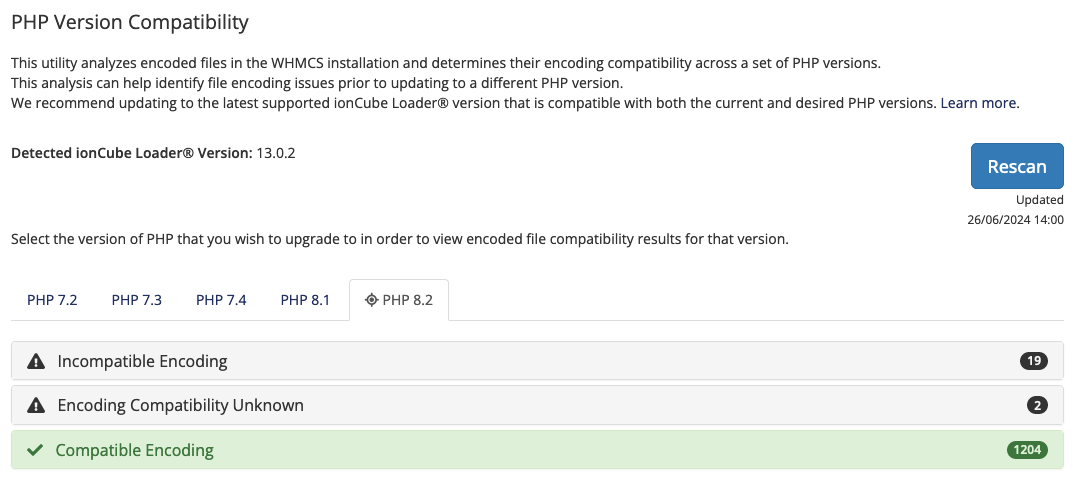
Before upgrading to PHP 8.4, you can check compatibility with your installation’s encoded files at Utilities > System > PHP Version Compatibility.
Unattended Automatic Updates
Keeping WHMCS up-to-date with the latest bug fixes no longer requires you to start each update yourself. WHMCS 9.1 introduced unattended automatic updates, which apply maintenance releases to self-hosted WHMCS installations on a schedule that you choose.
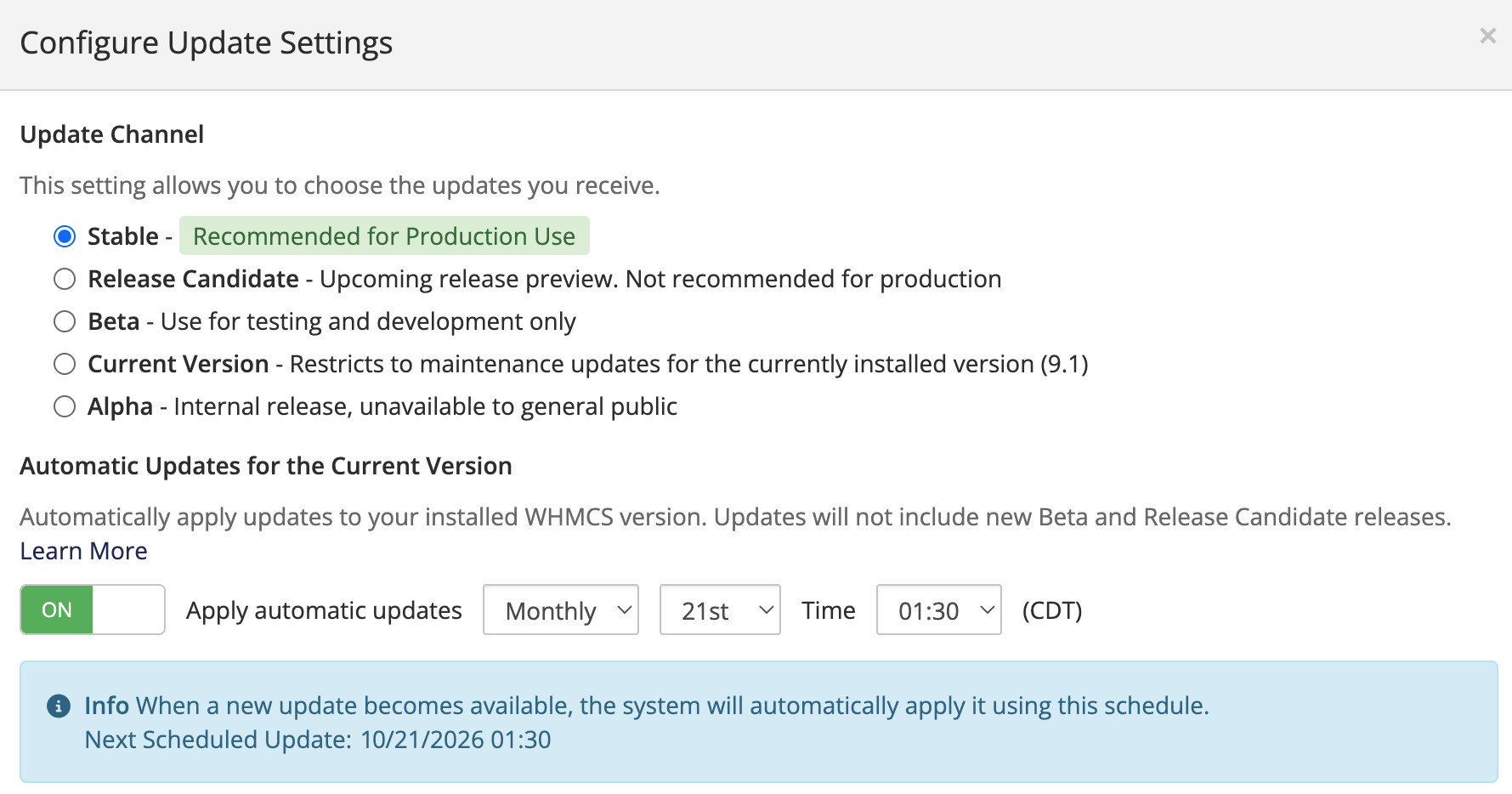
You can set a weekly or monthly schedule, pick the day and time that suit your business, and review every past attempt in the new Update History table at Utilities > Update WHMCS. WHMCS backs up the files it will replace before each update, restores those files if the update fails, and sends an email to your admins with the outcome.
Updating to WHMCS 9.1
To take advantage of these changes, you need to update to WHMCS 9.1.
We recommend making sure your customizations are up-to-date for the new version and checking the compatibility of any third-party modules you use.
Last modified: 2026 October 20