Use Other Providers for System Mail
You can choose from several supported mail providers to handle mail for your WHMCS installation. Make sure to choose the mail provider that offers the best service and security features for you.
Your mail provider configuration is separate from any email piping or importing that you configure for your support departments. For more information, see Email Piping and Email Importing.
Set Up your Mail Provider
To configure Mailgun, SendGrid, or SparkPost:
1. Go to the Mail tab.
In the Admin Area, go to the Mail tab at Configuration () > System Settings > General Settings.
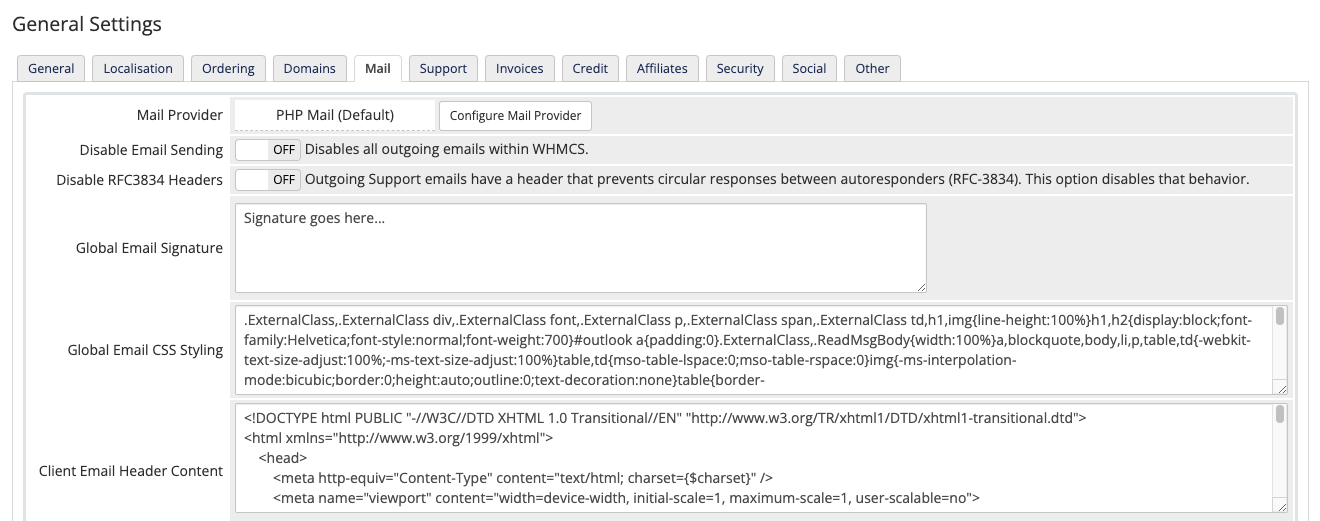
2. Click Configure Mail Provider.
Next to Mail Provider, click Configure Mail Provider.
3. Select your mail provider.
Select your desired mail provider.
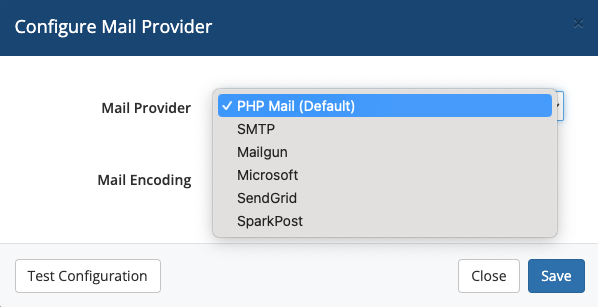
4. Configure your mail provider settings.
In the new window, specify the settings for your provider. Remember that incorrect settings will prevent mail from sending in WHMCS.
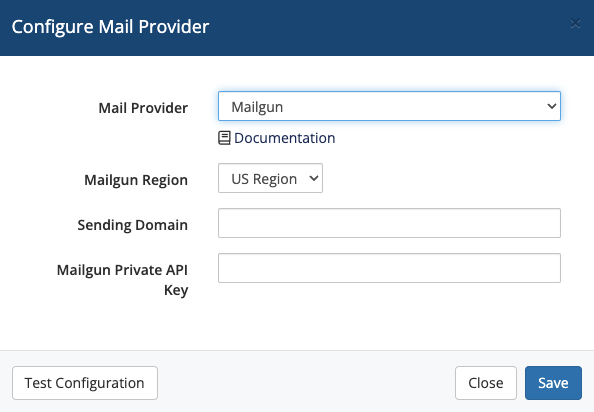
If you select SendGrid and use a Restricted Access API key, make certain that you grant all of SendGrid’s Mail Send and Mail Settings permissions.
5. Test your configuration.
Click Test Configuration at the bottom left of the window to make sure that you entered everything correctly.
6. Save your changes.
When you see a success message, click Save Changes.
Last modified: 2026 August 4